
Every employee knows exactly who to go to. One level at a time.
An escalation matrix for employees that lives on their phone, not in a PDF. A single link your staff open on their phone. They type their name, see their reporting manager, and can only move up a level after confirming they tried the one below. Salary and personal issues get their own safe path. Built on the website you already have.
What is an escalation matrix for employees?
An escalation matrix for employees is a map of who each person goes to with a problem, in what order, and when the problem can move up a level. Most companies keep it in a PDF or an HR Excel that never reaches the floor. This one sits on every employee’s phone and enforces the order: Level 2 opens only after the employee confirms Level 1 already knows.
In most SMEs, escalation is whoever picks up the phone.
Four things we hear from operators running outlets, floors and field teams.
The founder’s phone rings for everything
A steward with a leave question, a commi with a salary doubt, a manager short of staff: all of them call the top, because that is the only number everyone has.
New staff do not know their manager
With 40 to 300 people across sites and high churn, the org chart in HR’s Excel never reaches the floor. People guess, or ask a colleague.
HR firefights on WhatsApp groups
Issues arrive half-explained, out of order, and to the wrong person. Nothing is tracked and the same problem resurfaces next month.
Sensitive issues have no safe path
A woman on the team, or anyone with a salary dispute, should know the confidential route without asking around. Usually they do not.
Discipline built into the screen, not a memo.
Screens from the live demo (fictional company), exactly as staff see them on a phone.
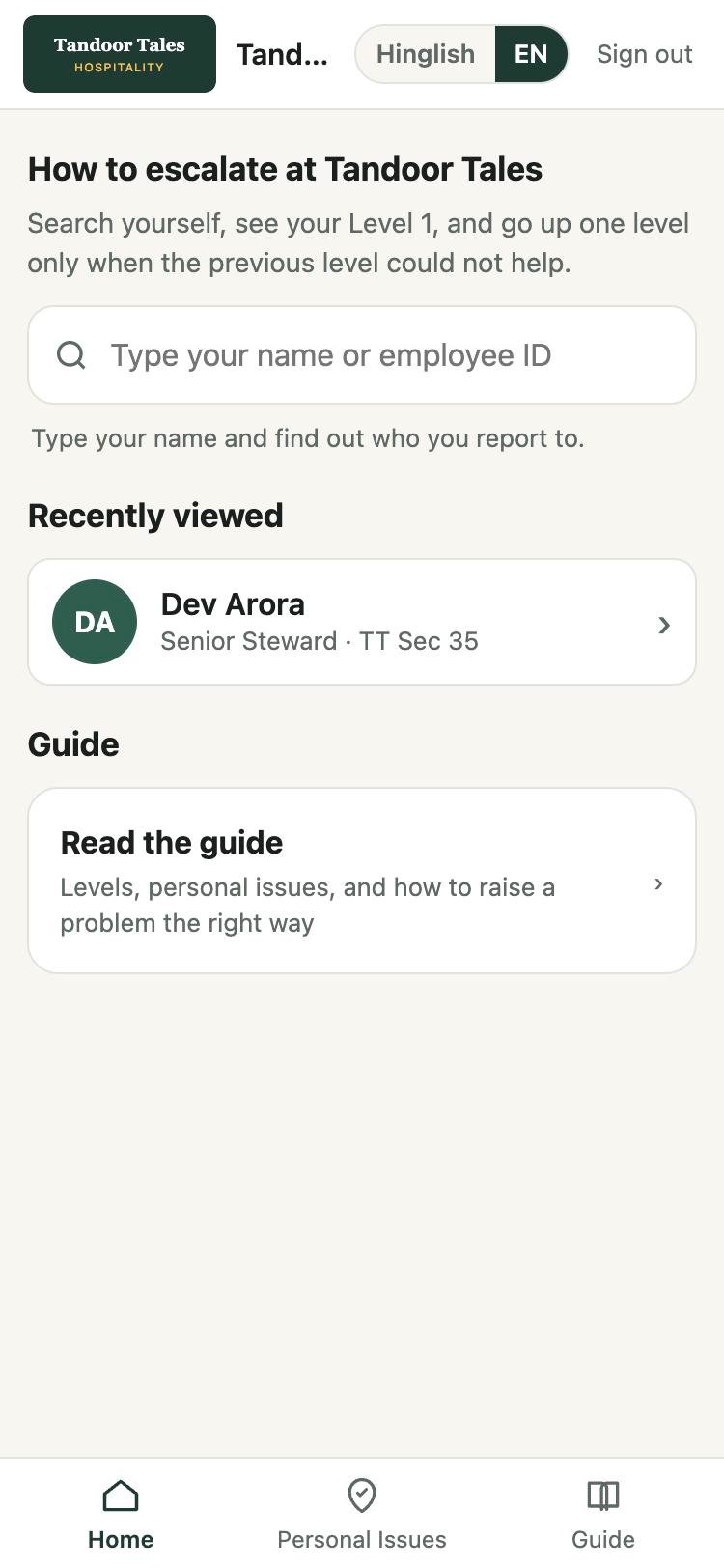
Staff type their name
No app store, no account creation. One shared staff login opens the page; it stays signed in and adds to the home screen like an app.
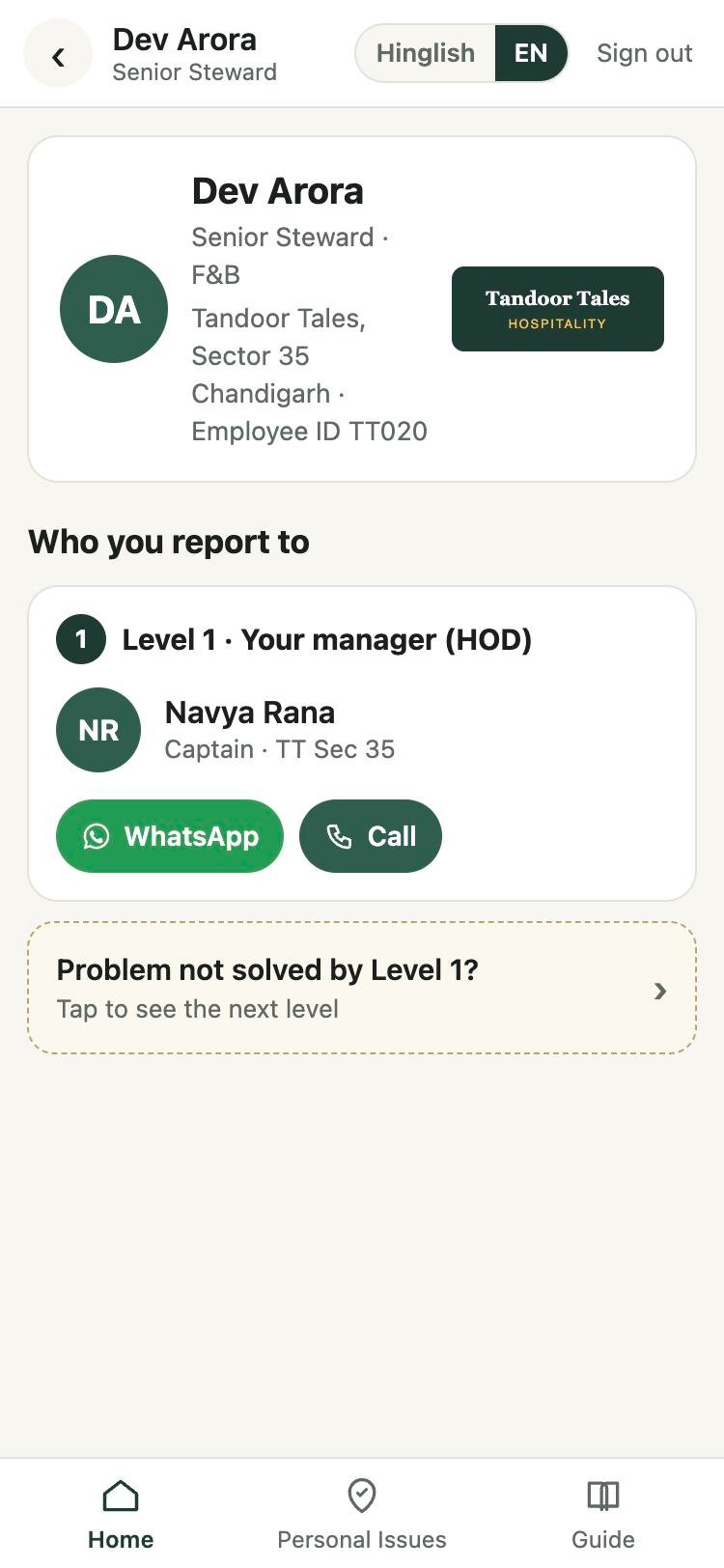
They see Level 1 only
Their HOD, with a WhatsApp button and a call button. The next levels are deliberately hidden so the hierarchy is not bypassed.
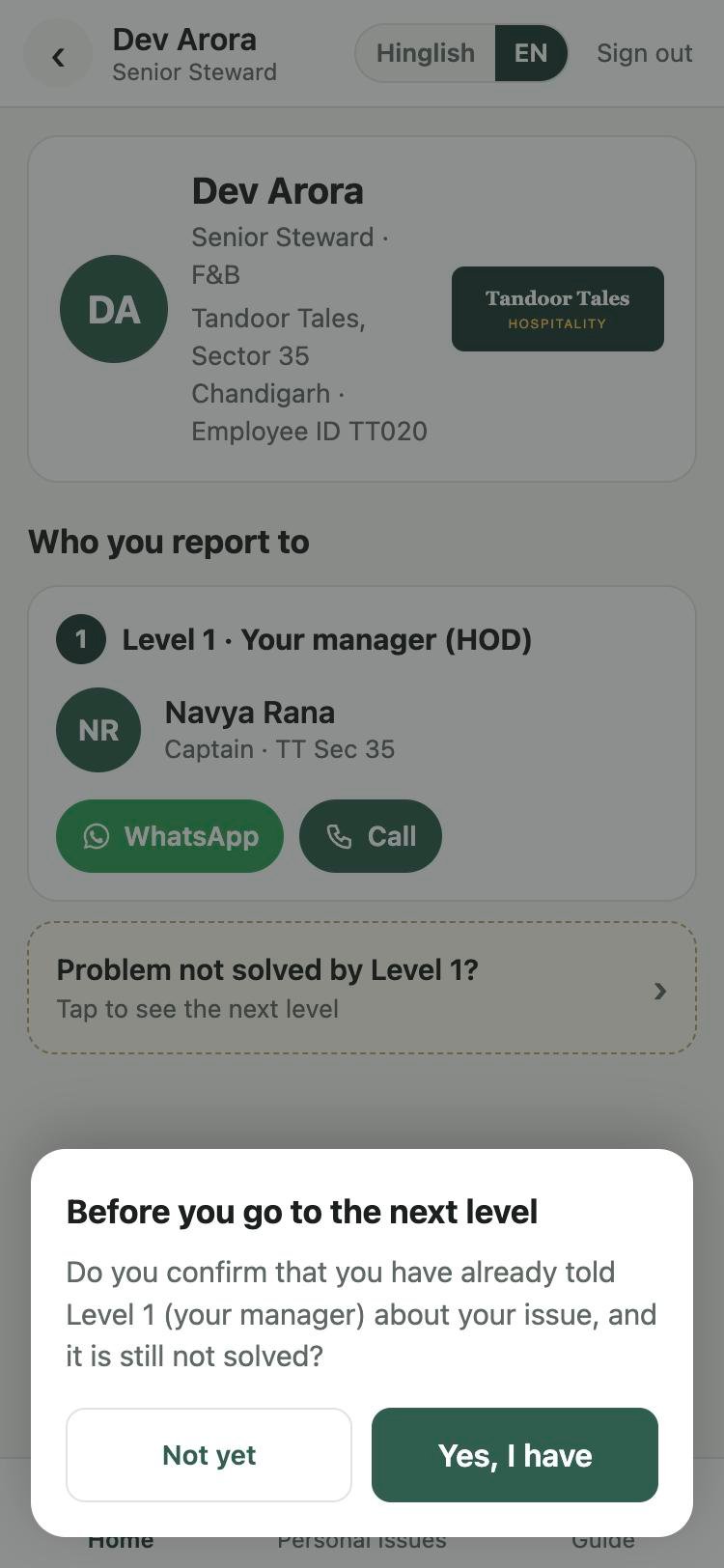
Not solved? Confirm first
A small confirmation asks whether Level 1 has already been told. Only a yes reveals the next level. The same gate protects Level 3.
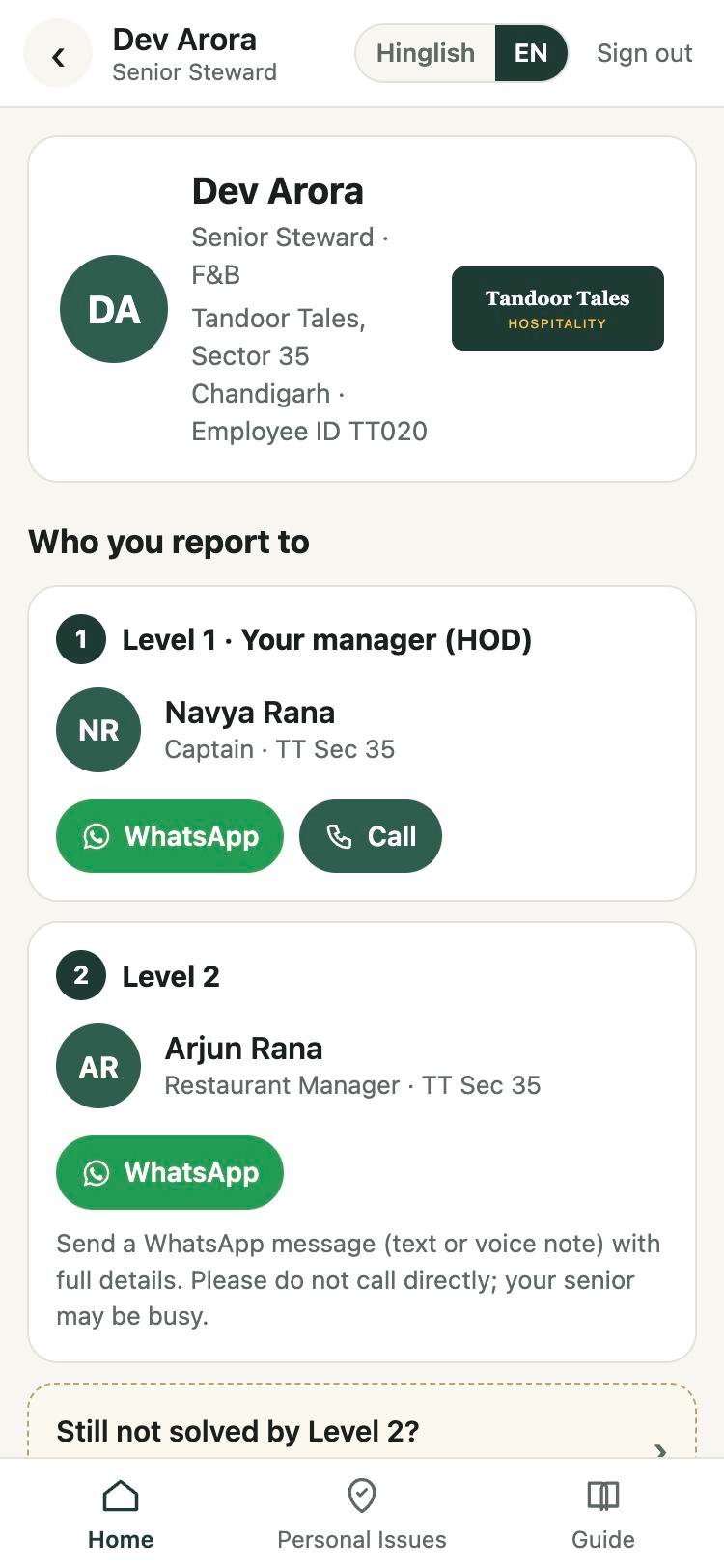
Level 2 appears, WhatsApp only
Message with full details; do not call, your senior may be busy. The rule from the guide is enforced by the button that is offered.
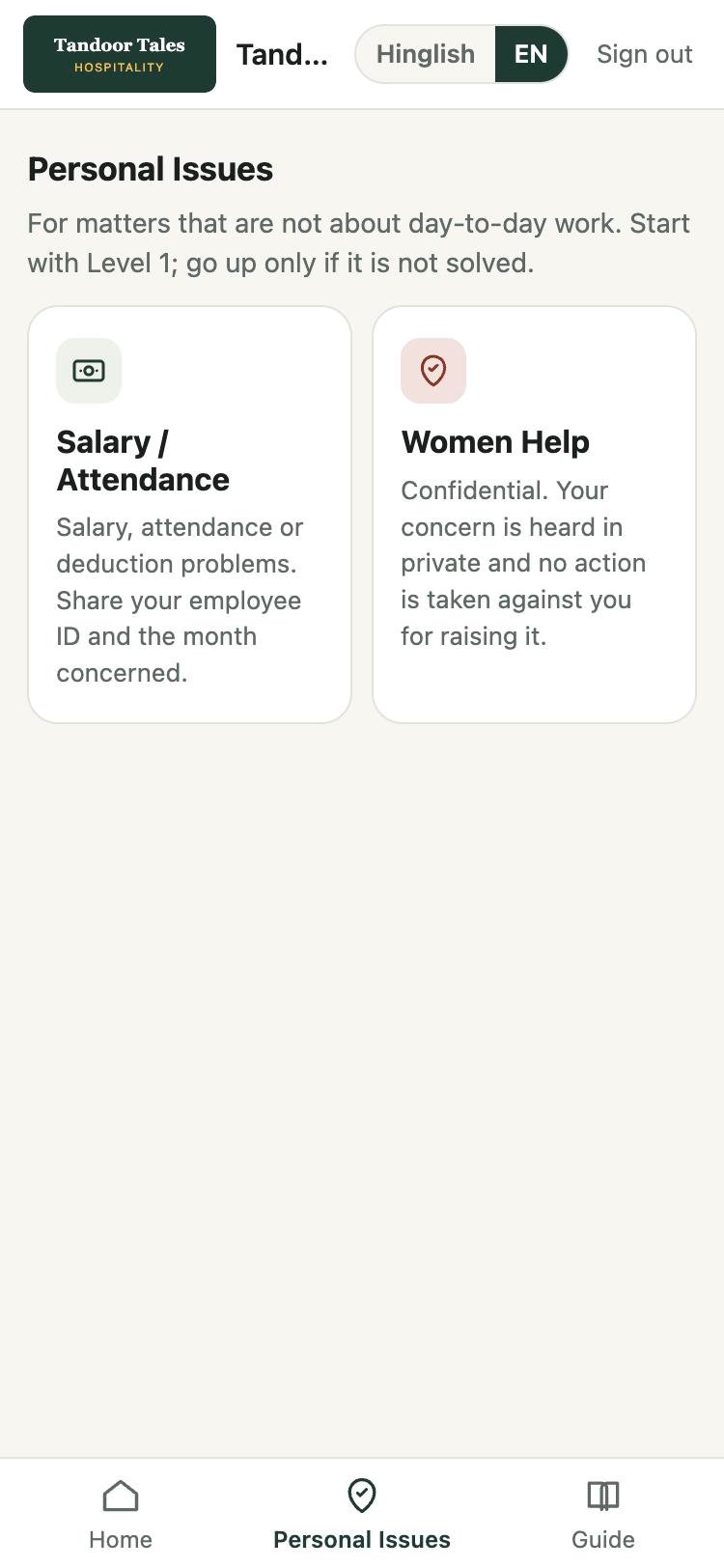
Personal issues, own ladders
Salary / Attendance and Women Help each have a short, named ladder, confidential where it should be, separate from the reporting line.
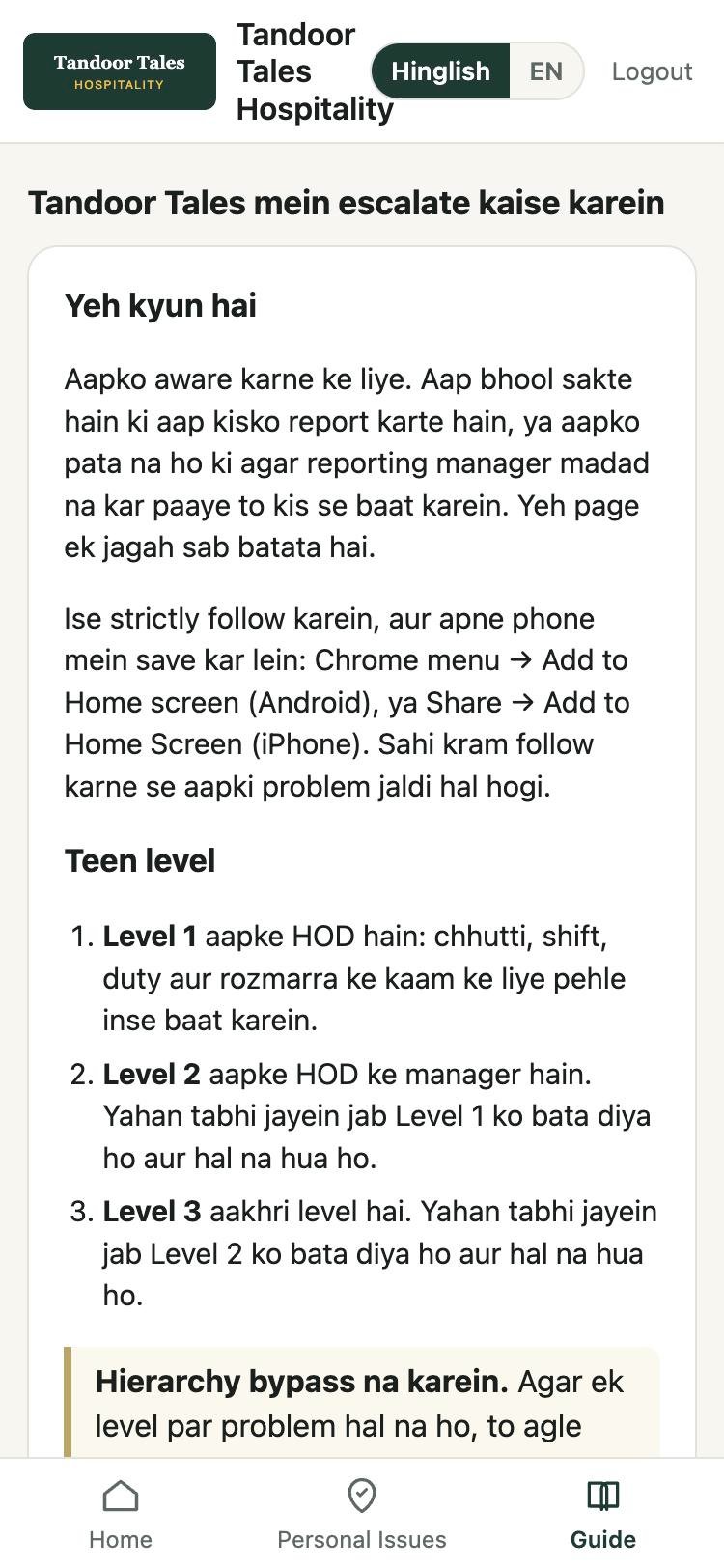
A guide in Hinglish and English
Do not bypass, give full details, be patient, we are one team. Written for the floor, switchable with one tap.
Built first for a 268-person restaurant group with 20-plus outlets.
A D2C hospitality group running three restaurant formats had already emailed an escalation SOP to every manager. Staff still called the founder directly, and he still picked up, because he did not want one missed issue to turn into a resignation or a walkout. When we spoke to the founder, the managers and the floor teams separately, four reasons came up, all at once.
They did not know
The SOP went to managers. Stewards, commis and new joiners never saw it.
They did not remember
A PDF in an inbox is no help in the middle of dinner service.
They bypassed on purpose
Old-timers knew the founder. Calling him worked faster, and it made the manager look weak.
They expected no support
Some did not trust their manager to back them. Managers, unsure of their authority and used to being overruled, held back too.
So the matrix was one of five pieces: this phone-first escalation matrix, a joining manual that teaches the route on day one, a short written step when a verbal fix fails, a handling guide for managers linked to the existing code of conduct, and one rule from the founder: no escalation gets taken up without a note from the manager.
Read the full case: why the escalation matrix was not followed, and the 5-part fix →Try it with a fictional restaurant group.
Tandoor Tales Hospitality: a head office, two restaurants and a cafe, 55 people. Every name and number is invented. Tap “Try as staff”, search for any name, and walk the levels. “Try as admin” shows how HR updates the whole thing by uploading an Excel.
staff / demo · Admin login admin / demo-adminWorks best on your phone: open this page there.
It is one encrypted file on the website you already pay for.
| A typical HR app | Escalation Matrix |
|---|---|
| Per-user monthly licence, usually priced for 500+ seats | No licence. No subscription. Nothing per user. |
| Server, database, vendor hosting, renewals | One HTML file in a folder of your existing website (Hostinger, GoDaddy, GitHub Pages, anything). |
| IT setup, integrations, training | HR uploads the Excel they already maintain. The page rebuilds itself and gives back the new file. |
| Your staff data lives on the vendor’s servers | Encrypted inside the file (AES-256, key derived from the login). Father’s names, salaries and gender never enter it. |
| Needs the internet every time | Once opened, it works offline on the phone. |
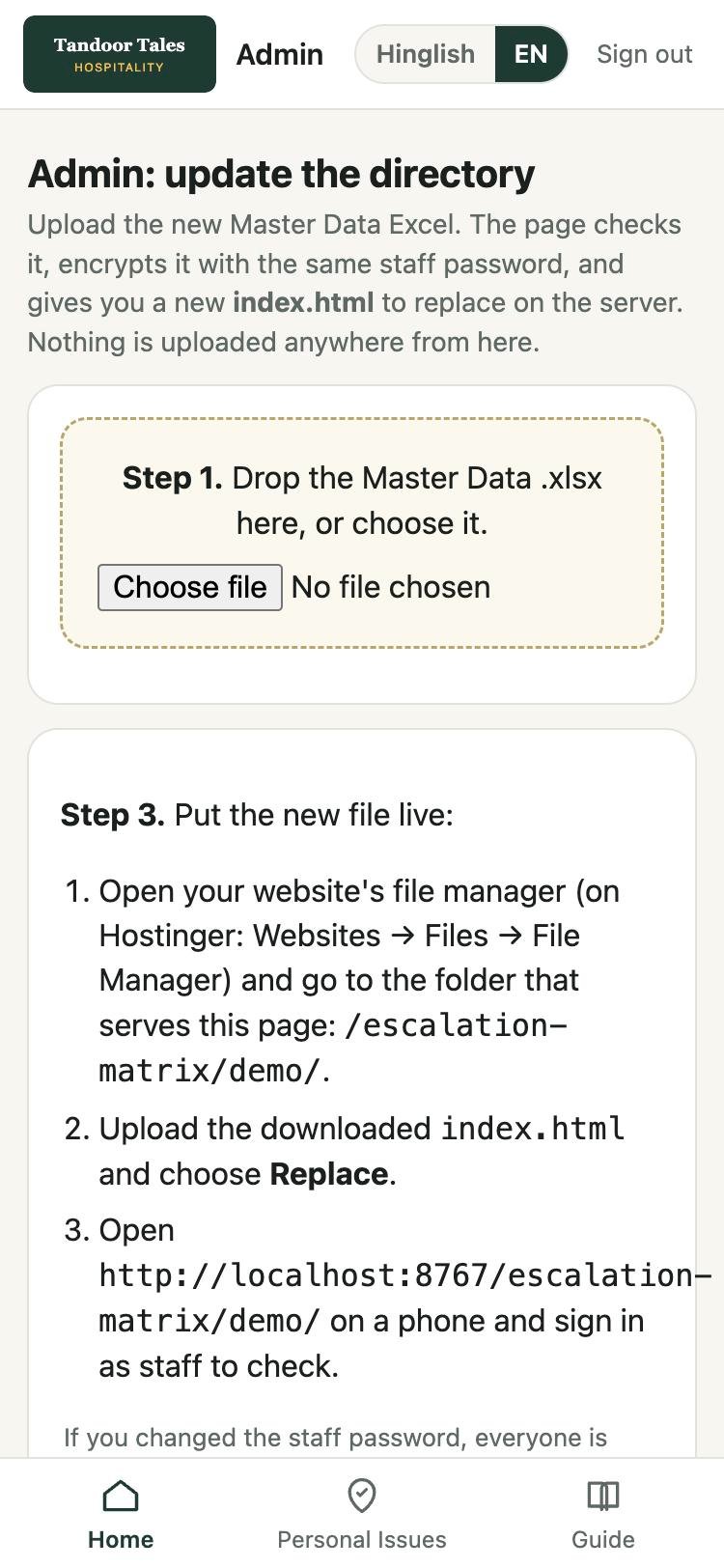
HR keeps it current without a developer
The admin login turns the page into its own build tool: upload the master Excel, read the summary of what changed or could not be placed, download the new file and replace it on the server. A new joiner is live in minutes.
What it costs you: a few hours of our setup, which we are currently doing free for SMEs who share feedback. There is no software to buy afterwards.
Before you say yes.
Why do employees bypass the escalation matrix?
Usually because they do not know it, cannot recall it when the issue happens, or get faster results by calling the founder. Managers also hold back when their authority is unclear or the founder keeps overruling them. The fix is to make the official route easier to reach than the founder’s number, and for the founder to act only on escalations that come with a manager’s note.
How is this different from an HRMS or a ticketing tool?
An HRMS charges per user, needs logins, hosting and training, and usually takes weeks to adopt. This is one encrypted file on your own website with no licence. It does one job: show each employee their next level and keep them from skipping it. If you later need tickets and audit trails, the same data moves to a server-based version.
Does it work across outlets with different formats?
Yes. Each person sees their own chain, built from their own HOD, second and third manager in the Excel. A fine-dine outlet, a cafe and a cloud kitchen can each have a different hierarchy inside the same file.
Which businesses is it built for?
Businesses with roughly 40 to 300 people spread across outlets, floors or field teams, where the founder’s phone has become the escalation route: restaurant and cafe chains, retail stores, clinics, warehouses and schools. The first deployment was a restaurant group.
What do we need to start?
An Excel with each person’s name, designation, outlet or department, and their HOD (plus the second and third manager if you have them), and a website or free hosting to put one file on. We built the first one for a 268-person restaurant group in a day.
Is it secure if the whole company shares one password?
The data inside the file is encrypted; without the password it is unreadable even if someone downloads the file. The password is the boundary, so change it when someone who had it leaves: HR uploads the sheet again with a new password and replaces the file. Sensitive fields never enter the file at all.
Who updates it when people join or leave?
HR. They sign in as admin, drop the updated Excel on the page, check the summary it shows, download the new file and replace it on the website. No developer needed.
Can we add our own escalation ladders?
Yes. Ladders are a short list of employee IDs per topic. Salary / Attendance and Women Help come by default; add staff shortage, maintenance, food safety, whatever your business needs.
Does it track who escalated what?
No. It has no server, so it keeps no history, by design. If you need audit trails, individual logins or password resets by email, that is the server-based version, and the same data pipeline carries over.
The thinking behind the escalation matrix for employees.
Give your team one place to look.
Send us your people sheet and we will set up your Escalation Matrix, in your brand, with your ladders, on your website.
WhatsApp us to get started →Escalation Matrix is a micro-application by ProdifyTeam. The demo company, its people and phone numbers are fictional.